
 March 10, 2026 1:35 am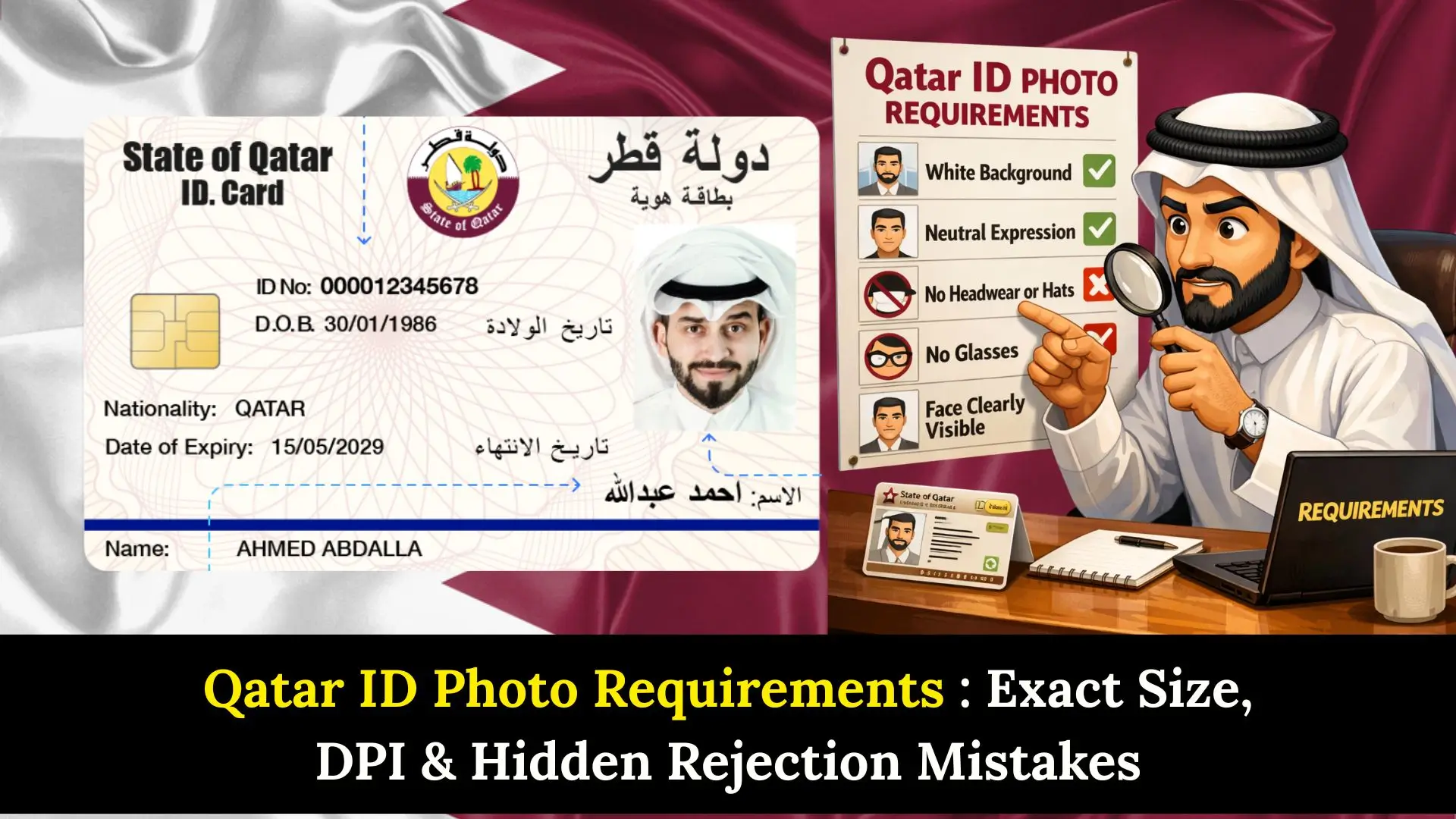
Qatar ID Photo Requirements are a critical aspect of your residency application in Qatar. Whether you are a South African expat moving for work or renewing your status, having an incorrect photo is the reason for application rejection.
The Ministry of Interior (MOI) maintains strict digital standards for the Qatar ID (QID). In this ultimate guide, we reveal the hidden mistakes travelers make and provide the complete specifications to ensure your document is approved on the first try.
Official Qatar ID Photo Requirements 2026
To meet the Qatar ID Photo Requirements, your image must be high-resolution and taken within the last six months. The government uses biometric face-recognition software, so clarity is non-negotiable.
Technical Specifications
- Dimensions: 38 mm (width) x 48 mm (height).
- Resolution: 300 to 600 DPI (Dots Per Inch).
- Background: Plain white (must be clean with no shadows).
- Face Coverage: Your face must cover 70-80% of the frame.
- Head Size: 32–36 mm from the chin to the top of the head.
- Format: Digital files for online submission should be roughly 450×570 pixels.
Lighting and Quality
The photo must be in color. Black and white photos are strictly prohibited. Ensure there are no “red-eye” effects or harsh shadows behind the ears or under the chin.
Qatar ID vs. Qatar Visa Photo Requirements
Many South Africans confuse the Qatar work visa photo with the ID requirements. While they are similar, the background color can sometimes vary based on the specific visa type (e.g., A1 visas vs. Work Residencies).
| Feature | Qatar ID (QID) | Qatar Visa (General) |
| Background Color | Plain White | White (Standard) / Blue (Occasional) |
| Dimensions | 38×48 mm | 35×45 mm or 40×60 mm |
| Expression | Neutral Only | Neutral Only |
| Digital Check | Required via Metrash2 | Required via MOI Portal |
Expert Tip: While some older sources mention a Qatar visa photo blue background, the current 2026 standard for most official digital residencies is a clean white background.
Step-by-Step Guide to Taking the Perfect QID Photo
Following these steps will ensure your Qatar ID Photo Requirements are met without a “hidden” error.
- Find the Right Setting: Use a professional studio or a wall with a flat white finish. Avoid “off-white” or cream colors.
- Position the Camera: The camera should be at eye level. Looking up or down distorts the facial geometry used for biometrics.
- Check Your Expression: Keep your mouth closed and eyes wide open. Do not smile or frown.
- Manage Your Attire: Wear everyday clothing. Avoid uniforms or white clothing that blends into the background.
- Digital Export: If uploading to the Ministry of Interior (MOI) Qatar portal, ensure the file size is under the maximum MB limit specified on the form.
Rules for Glasses, Hijabs, and Facial Hair
Head Coverings
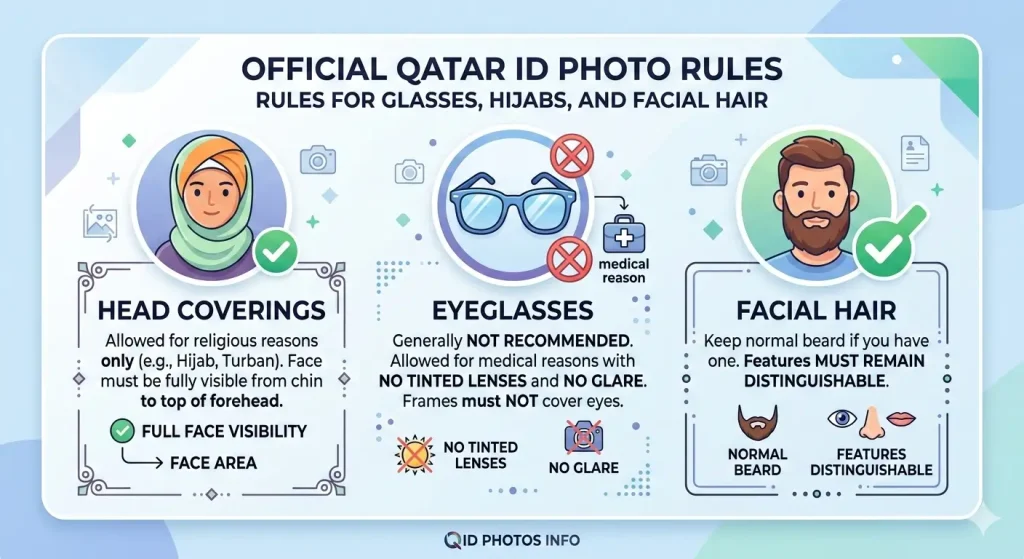
Head coverings are only allowed for religious reasons (such as the Hijab or Turban). Even then, the face must be fully visible from the bottom of the chin to the top of the forehead.
Eyeglasses
Glasses are generally not recommended. If you must wear them for medical reasons, they must not have tinted lenses or create a glare. The frames must not cover any part of your eyes.
Facial Hair
If you normally have a beard, you may keep it. However, it is essential that your facial features remain distinguishable.
What Happens if Photo is Rejected?
If your Qatar ID photo is rejected, the Ministry of Interior Qatar will notify you through the MOI portal or Metrash app and request a new photo meeting official biometric standards.
How Long Does Qatar ID Photo Approval Take?
According to Ministry of Interior Qatar, Qatar ID photo approval usually takes 1 to 3 working days after submission through the official MOI portal or Metrash app. The system checks biometric standards, image quality, and size requirements.
If your photo does not meet specifications or application volume is high, processing may take up to 5 working days. Applicants should regularly check their application status through official MOI services for updates.
Can I Update Qatar ID Photo Online?
According to Ministry of Interior Qatar services, you generally cannot update your Qatar ID photo fully online. Most photo updates require visiting an official Government Services Center with a new photo that meets biometric requirements.
However, in some cases, limited requests or document updates may be submitted through the Metrash app or MOI services, but final verification often requires physical processing. Always follow official MOI instructions to avoid application delays.
MOI Photo Upload Error Solutions
According to Ministry of Interior Qatar guidelines, MOI photo upload errors usually occur due to incorrect image size, wrong format, low resolution, or background issues. The system automatically checks biometric standards before accepting the photo.
To fix MOI upload errors:
- Ensure the photo size meets official requirements (38×48 mm, correct pixels).
- Use a plain white background with no shadows.
- Upload high-resolution images (300–600 DPI).
- Save the file in JPEG or PNG format within the allowed size limit.
- Clear browser cache or retry using the official MOI portal or Metrash app.
If the error continues, visit an official Government Services Center for assistance to avoid delays in your application process.
Common Mistakes To Avoid For Qatar ID Photos
Understanding Qatar ID Photo Requirements also means knowing what not to do. Avoid these shocking mistakes that delay thousands of applications:
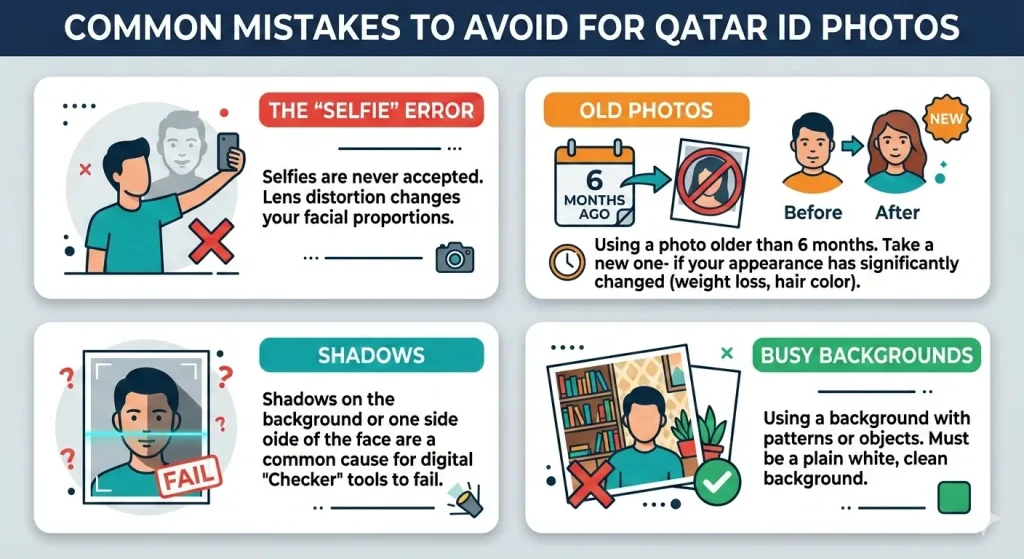
- The “Selfie” Error: Selfies are never accepted. The lens distortion from a front-facing phone camera changes your facial proportions.
- Old Photos: Using a photo older than 6 months. If you have significantly changed your appearance (weight loss, hair color), take a new one.
- Shadows: Shadows on the background or one side of the face are the most common cause for digital “Checker” tools to fail.
- Busy Backgrounds: Using a background with patterns or objects.
Benefits & Drawbacks of DIY Photos
Benefits of Using a Professional
- Guaranteed compliance with Qatar ID Photo Requirements.
- Proper lighting setup to avoid shadows.
- High-end equipment for 600 DPI resolution.
Drawbacks of DIY (At Home)
- High Risk: Small errors in mm size can lead to rejection.
- DPI Issues: Most home printers or basic phone apps do not reach the required 300–600 DPI quality.
- Wasted Time: A rejected photo can delay your QID by weeks.
FAQs About Qatar ID Photos
1. How can I change my Qatar ID photo?
You can change your QID photo by visiting a Government Services Center. You must provide a new physical photo that meets the current specifications and pay a small replacement fee.
2. Is there a Qatar visa photo checker online?
Yes, the MOI and various [internal link placeholder: Visa Assistance Portals] offer digital validation tools that check for resolution and face-to-frame ratios.
3. What is the Qatar visa photo size free download format?
For most digital applications, you should save your photo as a JPEG or PNG file with a width of 38mm and height of 48mm at 300 DPI.
4. Can I wear a white shirt for my Qatar ID photo?
It is strongly discouraged to wear a white shirt because it blends into the white background, making the edges of your shoulders invisible to the biometric scanner.
5. What are the Qatar a1 visa photo requirements?
The A1 visa usually follows the standard 38x48mm rule with a white background, though always check your specific sponsor’s latest update.
Conclusion
Adhering to the Qatar ID Photo Requirements is the easiest way to ensure your residency process in Qatar is smooth and stress-free. Remember: 38×48 mm, white background, and a neutral expression are your three keys to success.
Farhana Oberson 
Hi, I’m Farhana Oberson, the writer behind https://qataridcherckqa.com/ . I create simple guides about Qatar ID checks, visa services, and government procedures. My goal is to help residents and expats quickly understand official processes and complete their tasks without confusion.

